You can make the following type of changes to any of the service locations found on your Find Your Easterseals (Locations & Programs) page via the Content dashboard:
Edit an existing service location
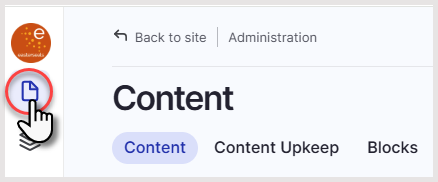
- From the left navigation click on the Content tab
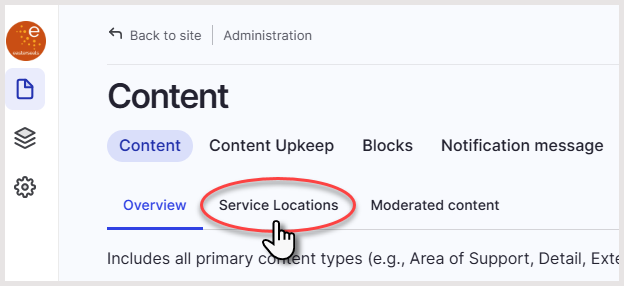
- From the Content dashboard, click the Service Locations tab
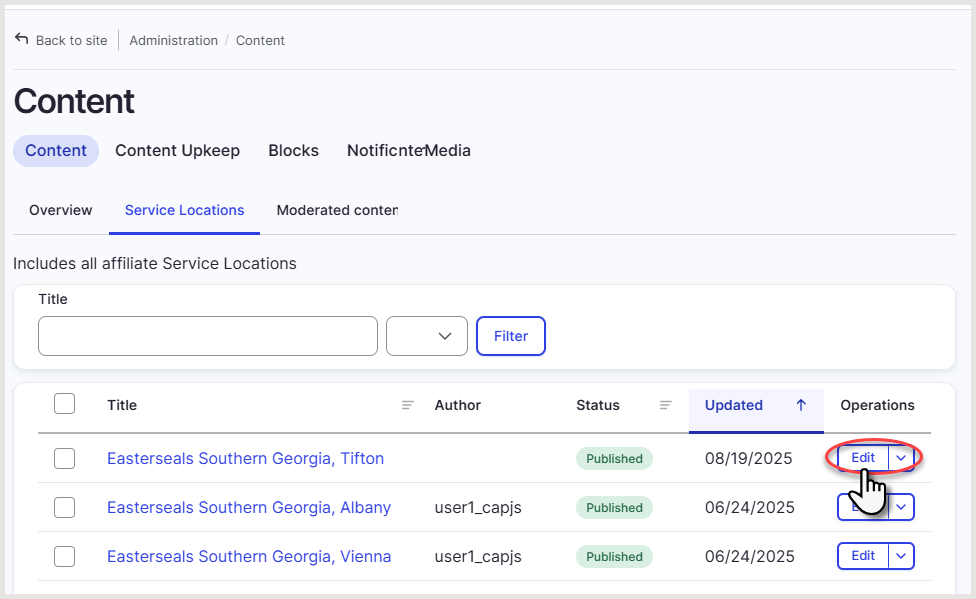
- From the list of locations, click Edit across from the service location you wish to make changes to
- Make the appropriate changes and click Save when complete
Remove or unpublish a service location
- From the left navigation click on the Content tab
- From the Content overview page, click the Service Locations tab
- From the list of locations, click Edit across from the service location you wish to make changes to

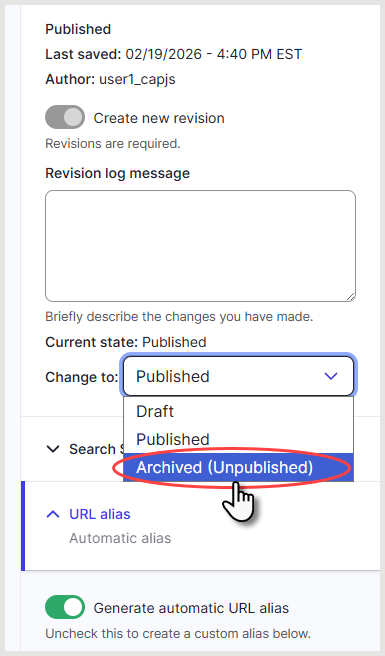
- On the right side panel, click the Change to dropdown and change the status from Published to Archived (Unpublished)
- Click Save
Was this article helpful?
That’s Great!
Thank you for your feedback
Sorry! We couldn't be helpful
Thank you for your feedback
Feedback sent
We appreciate your effort and will try to fix the article